Affected Users: Android users with phones on Android 16.0 operating system and One UI 8.0 operating system.
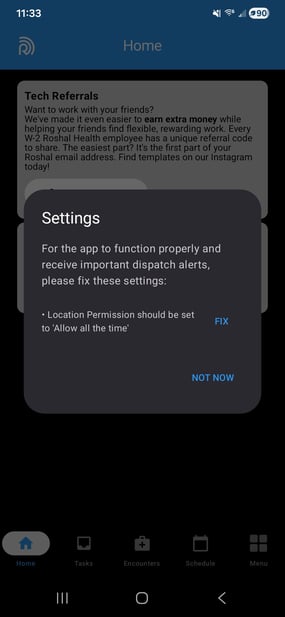
If you see a Location permission error in the Roshal Health app on Android 16.0 / One UI 8.0, fix it by setting the app's Location permission to Allow all the time in your phone's Settings. If you are unsure whether your device is affected, contact the IT Helpdesk.
-
Open the Settings app on your phone
-
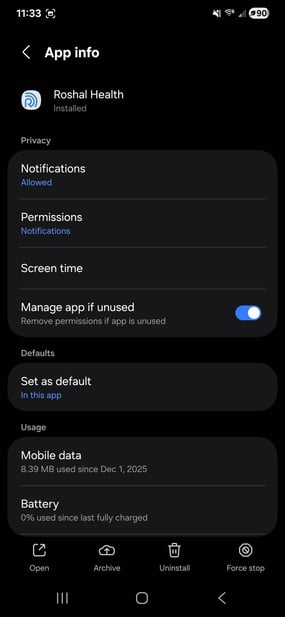
Scroll down and select Apps, then scroll through your apps or search for Roshal Health to navigate to the App info page. [Screenshot of the App info page required here.]Apps, then scroll through your apps or search for Roshal Health to come to the App info page:
-
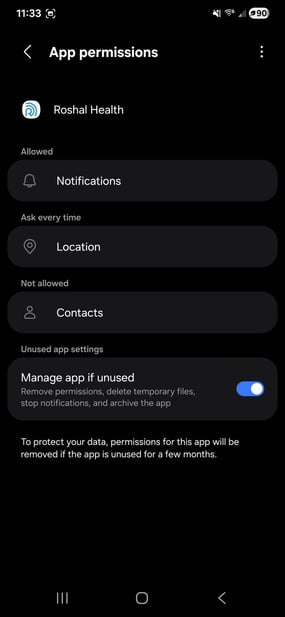
Select Permissions. [Screenshot of the Permissions screen required here.]Permissions to get to this screen:
-
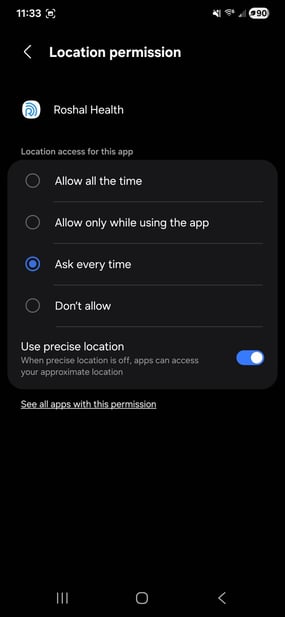
On that screen, look for and select Location. You will be brought here, where you will want to select Allow all the time.
-
Navigate back one screen. The Location permission will now display Allowed all the time. [Screenshot of the updated Permissions screen required here.]
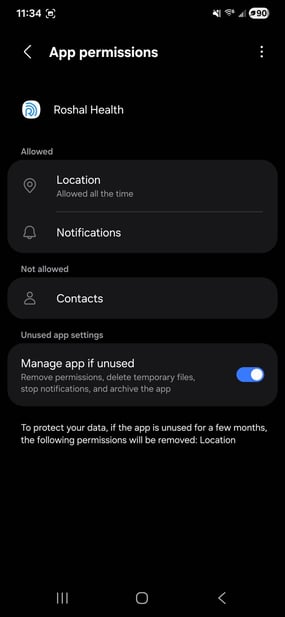
-
Go back to the Roshal Health app, and the message should be gone!
-
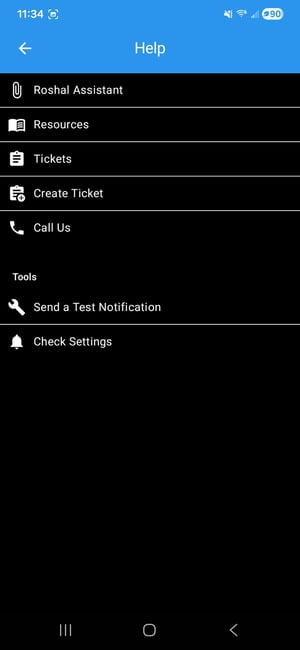
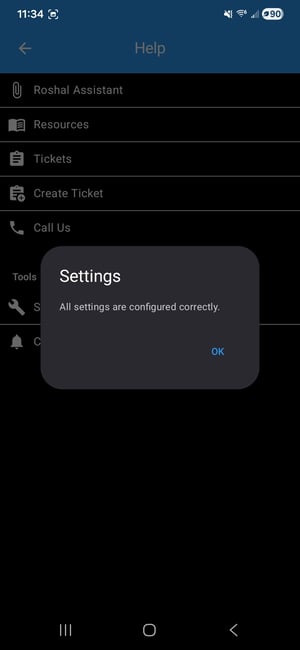
To verify, open Menu in the Roshal Health app, then select Help > Check Settings. The app will confirm whether the settings are correctly configured.Menu in the Roshal Health app, then selecting Help -> Check Settings and it will tell you if everything is good now.
-
If you are still having issues after making that change, please contact the IT Helpdesk at it-helpdesk@roshalimaging.com .