This article answers common questions about equipment setup, software, and ordering for Roshal Remote Hands. Select a section below to find the information you need.
Equipment FAQs
What is the DICOM setup for Studycast to send images from the ultrasound machine to the laptop?
- Depending on the machine, some of these settings may have different names. The main items you want to set are AE SERVER TITLE: coregateway, PORT: 10104, and SERVER IP ADDRESS: set this to the IP address of the laptop that you connected the ultrasound machine to.
- Click Start, then select Settings. Click Network & internet and then select Ethernet for a wired connection or select the Wi-Fi network you're connected to. Under Properties, look for your IP address next to IPv4 address, it will look something like 192.168.1.100
Software FAQs
What software do I need to install for Remote Hands to work?
- None! The laptop you receive from Roshal Health already has the software installed on it.
Ordering FAQs
Where do I go to place an order?
- To place an order, log in to the Roshal Client Portal at https://portal.roshalimaging.com .
- Roshal provides your login credentials when your account is set up. If you cannot locate them, contact the Roshal IT Help Desk at it-helpdesk@roshalimaging.com or call 1-888-ROSHAL0 (1-888-767-4250).
Where can I view my orders?
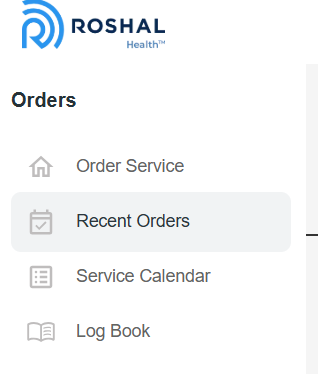
- Once you have logged in to the Client Portal (Roshal Client Portal), look for Recent Orders in the menu on the left to see orders you have placed: