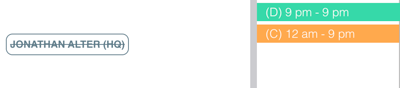
When a user’s name appears with a strikethrough (crossed out) in the Scheduling Manager, it means they are not available for dispatch.
What Does It Look Like?
A crossed-out user:
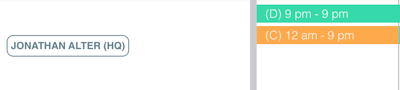
A normal (available) user:
How to Make a User Available for Dispatch
-
Click on the user’s name in the Scheduling Manager.
-
Go to the Availability tab.
-
Turn on the Available for Dispatch switch.
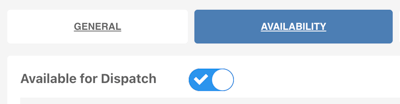
Once enabled, the strikethrough will disappear from that name in Scheduling Manager, and the user will be available for dispatch.